Atlas Client: Performance and HUD tools for Minecraft Bedrock Mobile
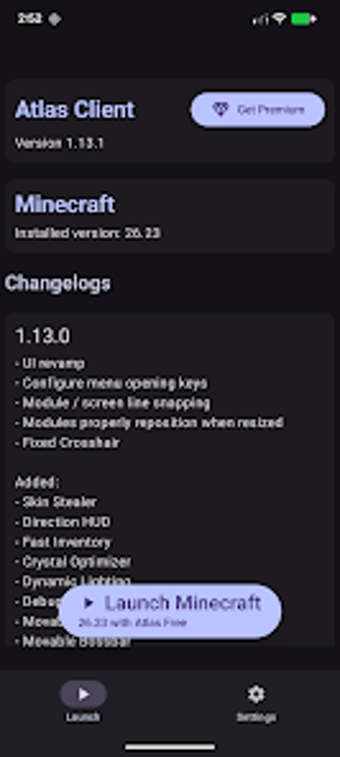
Experience Atlas Client, from Atlas Software LLC, a launcher and utility for Minecraft: Bedrock Edition on Android that focuses on performance and interface customization. The app unlocks FPS and V-Sync caps, surfaces on-screen telemetry such as keystrokes and armor durability, and provides a built-in minimap plus advanced zoom. It exposes over 60 modular HUD modules and visual tweaks, aimed at PvP players, map makers, and owners of mid-range devices seeking finer control.
What does Atlas Client add to Minecraft on Android?
The app acts as a launcher-style utility that layers performance and display tools over a legitimate Minecraft installation. It provides frame-rate unlocking and multiple on-screen telemetry readouts, plus environment adjustments for sky color and rain. It requires a proper copy of the game on the device and recent Android builds to access the latest features, so it is a companion rather than a standalone game installer.
How does it affect device performance during play?
Atlas Client is described with a "performance-first" approach, intended to add utilities without compromising stability on mobile hardware. The client exposes FPS and V-Sync controls that can alter responsiveness, and the developer positions it for older and mid-range devices. Test configurations in a local world first, since the app changes rendering and telemetry output which can affect battery and thermal behaviour depending on device capability.
Is it safe to use on servers and with the official game?
The client is an independent third-party tool and is not affiliated with the game's publisher, and it requires the official game to function. The developer frames it as a "legit" utility client whose HUDs and visual tweaks are intended for use on servers, but users should confirm individual server rules before enabling modules that expose gameplay telemetry or alter visuals.
Do I need technical knowledge to configure its modules?
The interface uses a modern layout to present more than 60 modular options, which reduces the need for manual file edits. The client includes toggleable items such as auto-sprint and a perspective-switch button, and it simplifies module placement. Nevertheless, some higher-level adjustments and stability checks benefit from basic testing in local worlds, and certain premium settings are gated behind advertisements or in-app purchases.
A practical choice for mobile players, with an accessibility caveat
Atlas Client is a practical option for mobile PvP players and map creators who need tighter performance and display control on handheld devices. The principal caveat is its reliance on advertisements and in-app purchases to unlock some settings, which can limit immediate access to certain modules. Test client setups in local worlds before joining live servers to confirm stability and compliance with server rules.